Why UX Strategy Makes Sense in the Age of AI
Stand out and reduce uncertainty when everything is changing
Reading time: 13 minutes
After years of “fighting for the users,” designers are now fighting for their jobs.
As AI automates many aspects of design, designers are left wondering, “What even is a designer in the age of AI?”
I’d like to propose a world where designers become masters of strategy. In the UX world, that looks like UX strategy.
What UX strategy gets you
With AI automating production tasks and reshaping entire industries, “strategy” is on everyone’s lips. But few designers are actually practicing it. That gap is a massive opportunity.
In times of uncertainty, strategy isn’t a luxury. It’s survival.
If you want to stand out as a designer in the age of AI, don’t just fight for the user. Learn to align users and business through strategy. That’s where the real impact and the future of design leadership lies.
Here are a few reasons why UX Strategy makes sense for UXers:
As AI automates tactics, it opens up new strategic areas...meaning you still have a job to do even after Figma turns into a prompt machine
UX Strategy is a type of strategy that is still open to interpretation...meaning you can make what you want of it with no baggage (you can't say that for product strategy)
UX Strategy is owned by UX designers...very few strategies in an organization have that external focus
UX Strategy is one of the few strategies that is user-focused...most strategies have an internal focus, but UX strategy aligns internal and external stakeholders
UX Strategy can be for just the designers or for everyone...you have the flexibility to make it a team or a company-wide strategy
UX Strategy is about aligning user needs with business opportunities...meaning a bit of user research and business know-how, and you have a winning skill combo
It’s not just about advocating for users. It’s about aligning user needs with business goals in a way that creates lasting impact. And in today’s climate of uncertainty, with AI reshaping the industry at breakneck speed, this shift has never been more important.
Strategy: A Definition for UX Designers
I don't want to skip over what strategy is because that's the most important part.
One of the simplest and most useful definitions of strategy (in general) is from Wikipedia:
“A general plan to achieve one or more long-term or overall goals under conditions of uncertainty.”
Right now, uncertainty is everywhere, and uncertainty is a great starting point for strategy.
AI is rewriting workflows, reshaping products, and even disrupting the design job market. Leadership roles are shrinking, “design maturity” talk is fading, and competition is intense. In moments like this, strategy is essential because it provides a path forward.
Without a strategy, teams get stuck chasing competitors, building for everyone, or defaulting to best practices that don’t move the business forward. With a strategy, designers can focus their actions on outcomes that matter, even when the future is foggy.
Sound good? Let’s look at UX strategy, specifically.
What UX Strategy Is (and Isn’t)
Here’s a definition that I made for the class I teach on UX strategy. UX Strategy is:
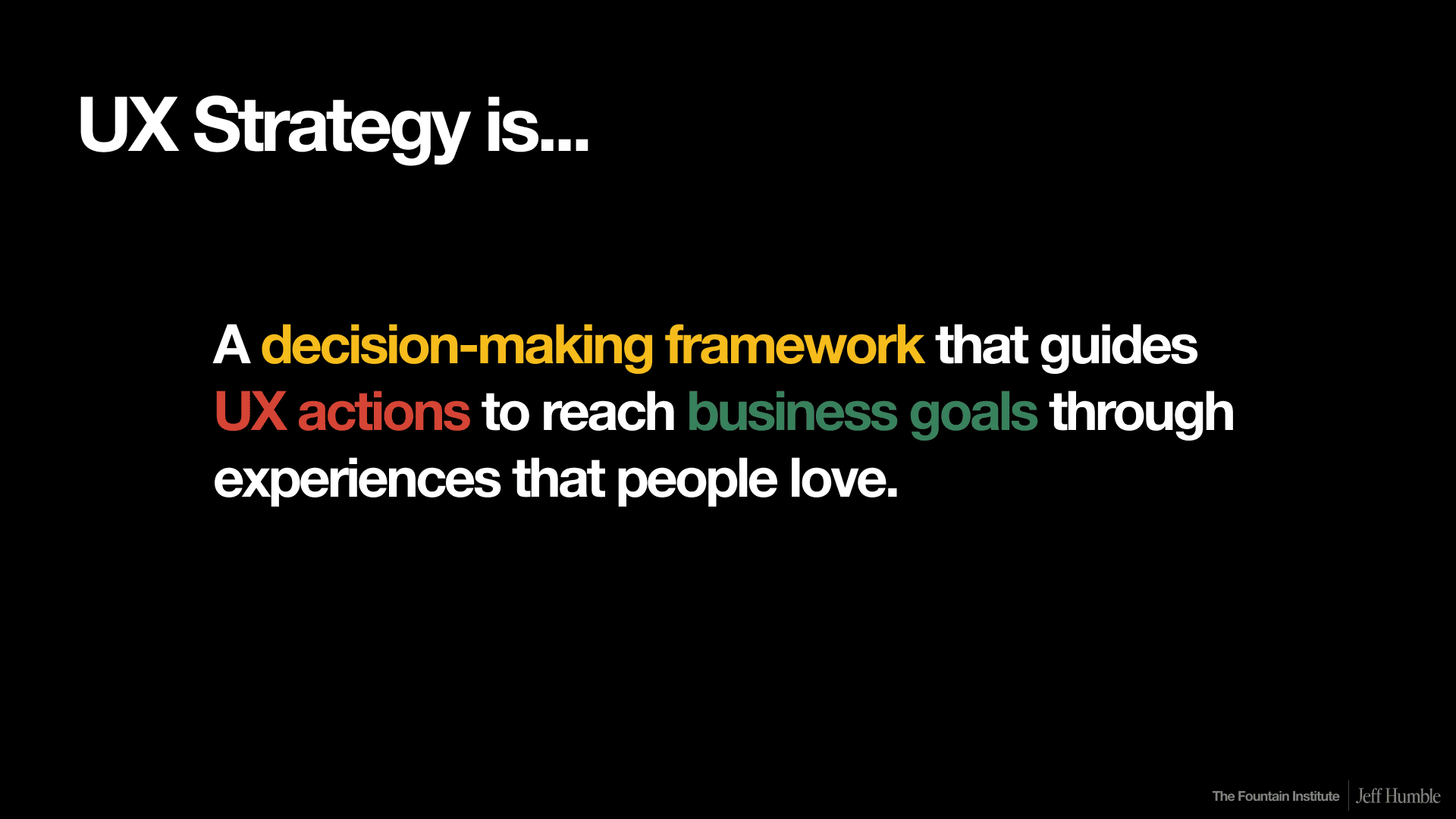
from UX Strategy Info Session by Jeff Humble
UX strategy is:
A decision-making framework
Guides UX actions
Aligns those actions with business goals
Does all this through experiences people love
If you’re doing all of those things, you have yourself a UX strategy.
The decision-making aspect is key, because a strategy should tell us what to do and, importantly, what not to do. Here’s a visual I love that shows how actions are focused on a goal:
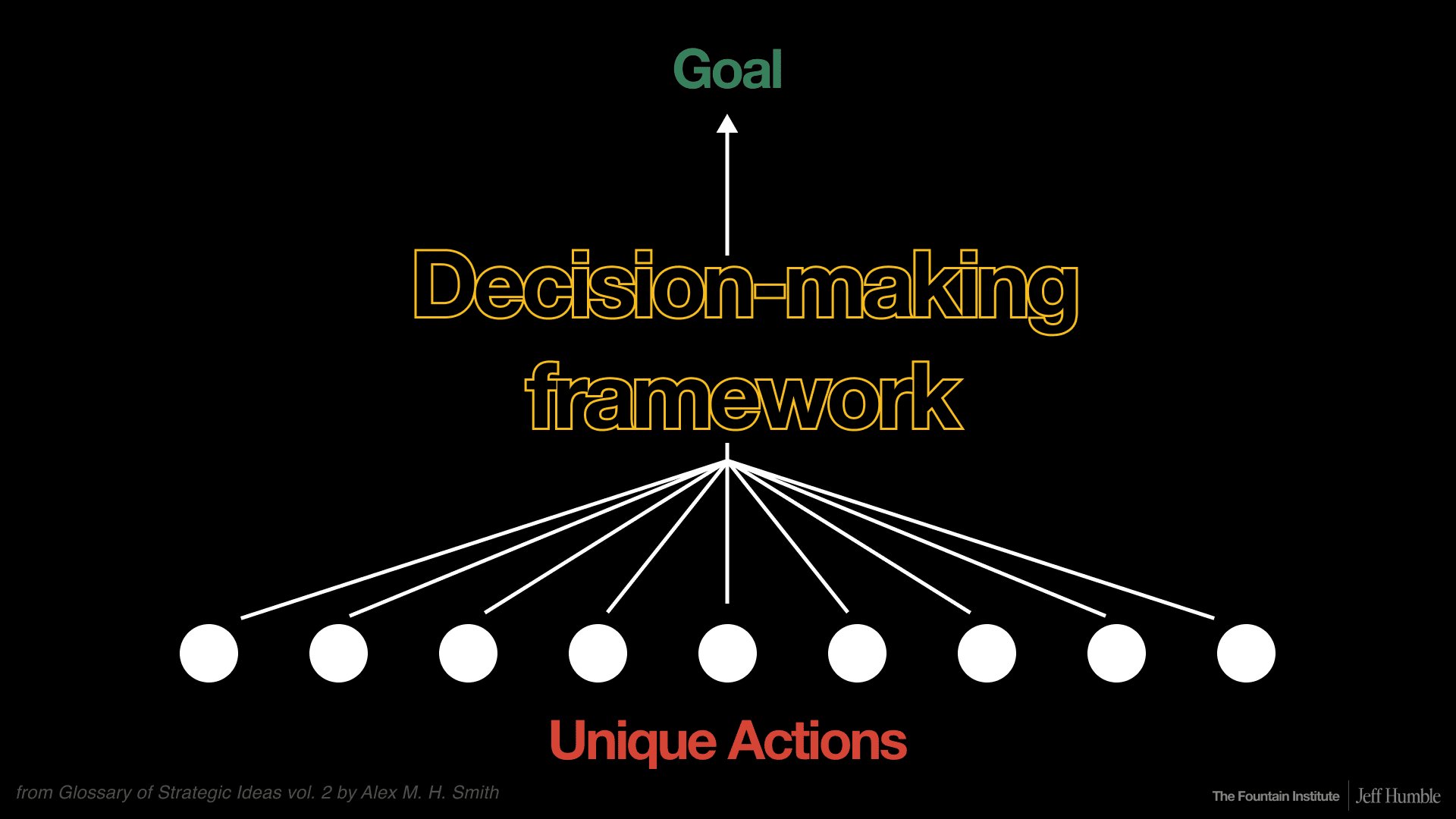
from UX Strategy Info Session by Jeff Humble
The core of a strategy is the “decision-making framework” that you create to guide UX actions towards business goals.
While the actions you take might be visible outside the company, the UX strategy and goal beneath is not going to be public. You wouldn’t want to share your strategy publicly because then the competitors would know what you’re up to…which makes your strategy less effective.
For strategic teams, there are a set of principles or an ethos that helps drive decisions towards specific business goals. Teams that are doing that have a huge advantage over unfocused, unstrategic teams.
from UX Strategy Info Session by Jeff Humble
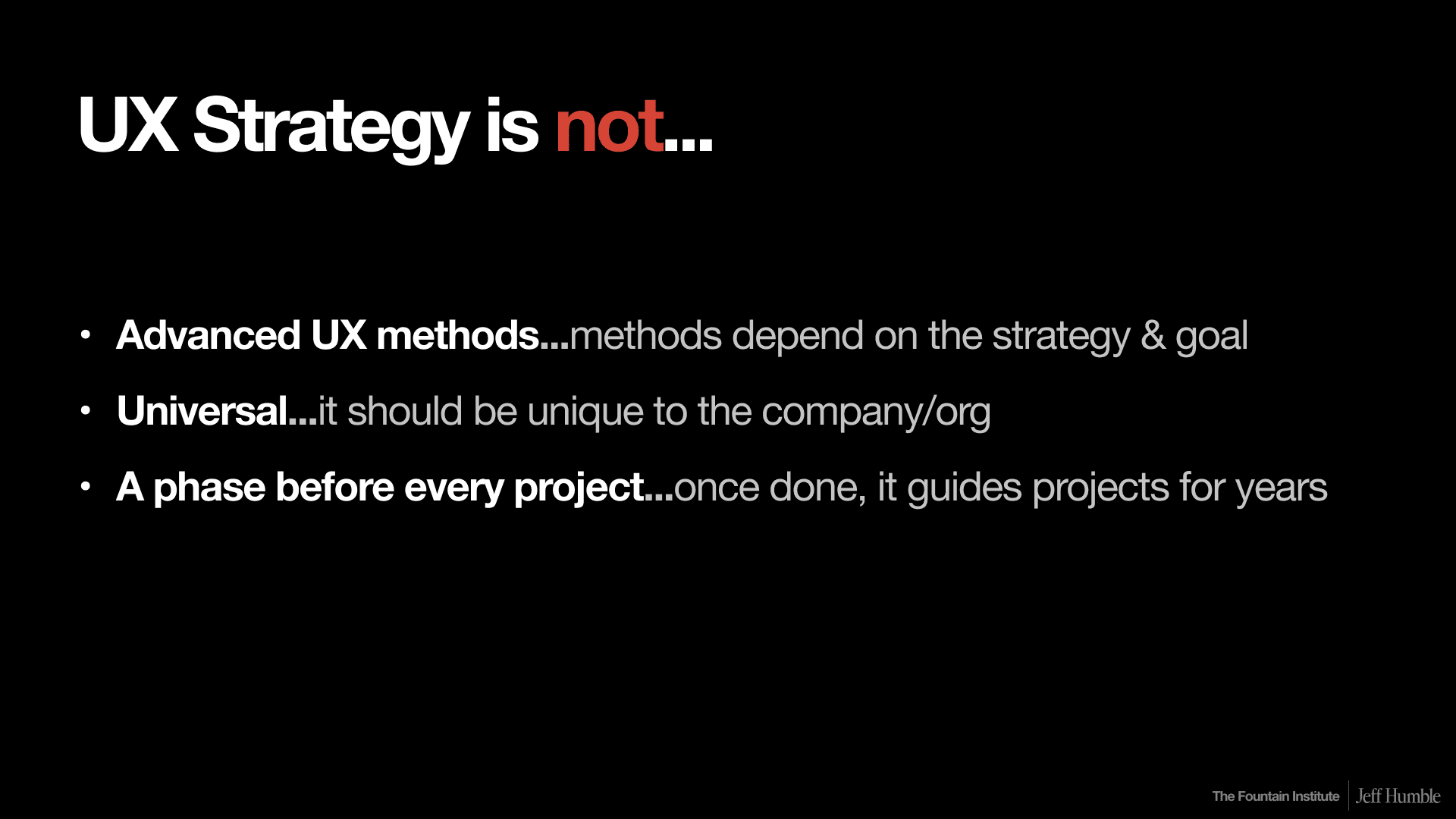
UX Strategy is not:
A set of advanced UX methods
A checklist of universal best practices
A phase before every project
A strong UX strategy should last for years, not weeks. If done well, it becomes the team’s compass, guiding design decisions across multiple projects.
That may not look like journey mapping or something fancy. It really depends on the strategy your team is following.
Let’s look at an example of UX strategy from 2006.
Case Study: How Nintendo Won by Differentiating
To see UX strategy in action, let’s rewind to the console wars of the early 2000s where, just like today’s AI wars, competitors were racing to the top of the hardware performance trophy.
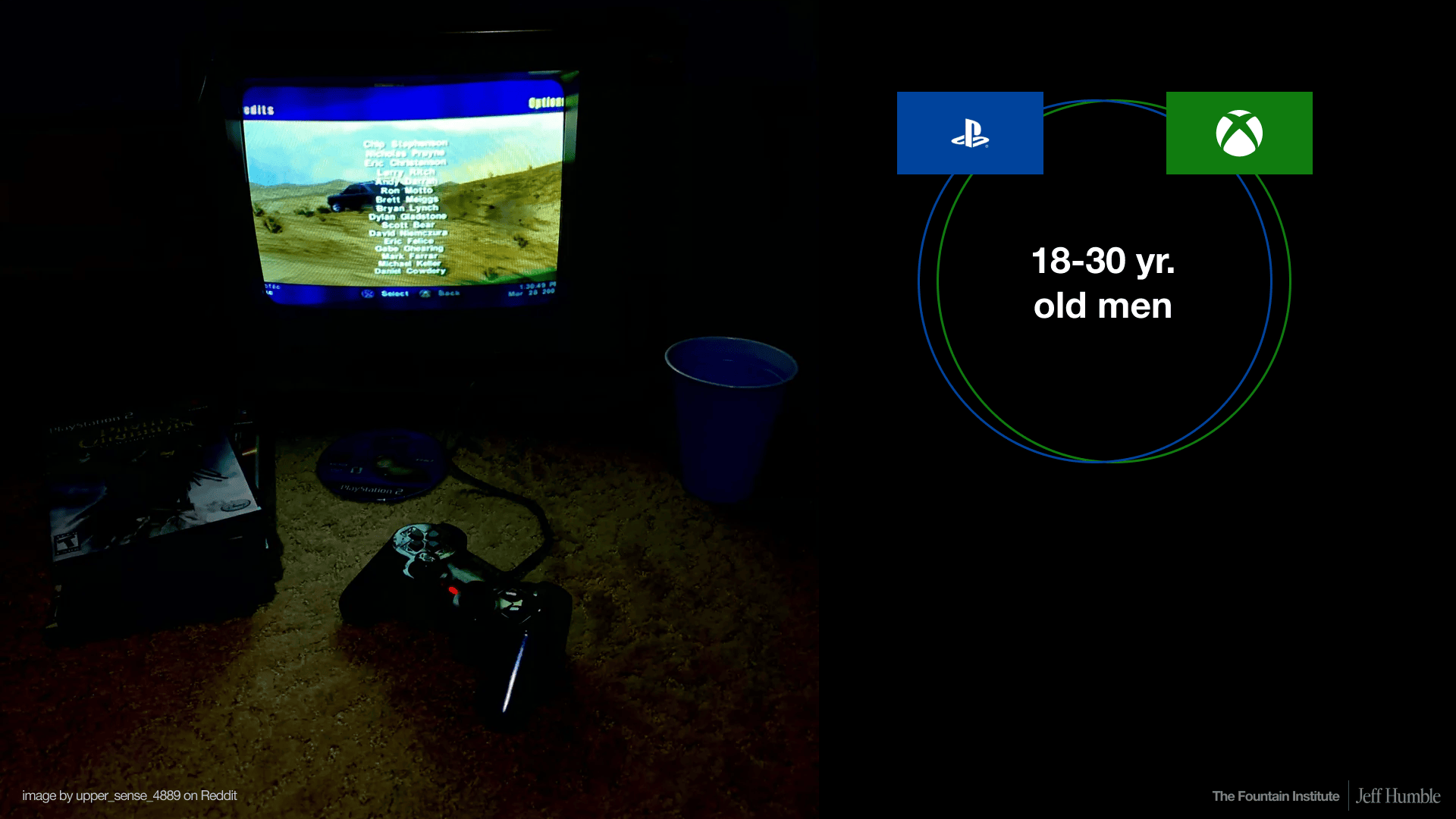
Sony’s PlayStation 2 and Microsoft’s Xbox dominated the market. Their target persona was clear: 18–30-year-old men playing in dark dorm rooms, surrounded by energy drinks and plastic cups. These companies poured billions into graphics, hardware, and online play, competing head-to-head for the same narrow market.
from UX Strategy Info Session by Jeff Humble
Nintendo, meanwhile, was struggling. Its GameCube underperformed, and the company needed a new direction.
Instead of joining the “arms race” of CPU-heavy games, Nintendo zagged where others zigged. They chose a different goal:
Family-friendly experiences over hardcore gaming
Simplicity and intuitiveness over complex worlds
Social, living-room play instead of isolated solo gaming
The result? The Wii.
from UX Strategy Info Session by Jeff Humble
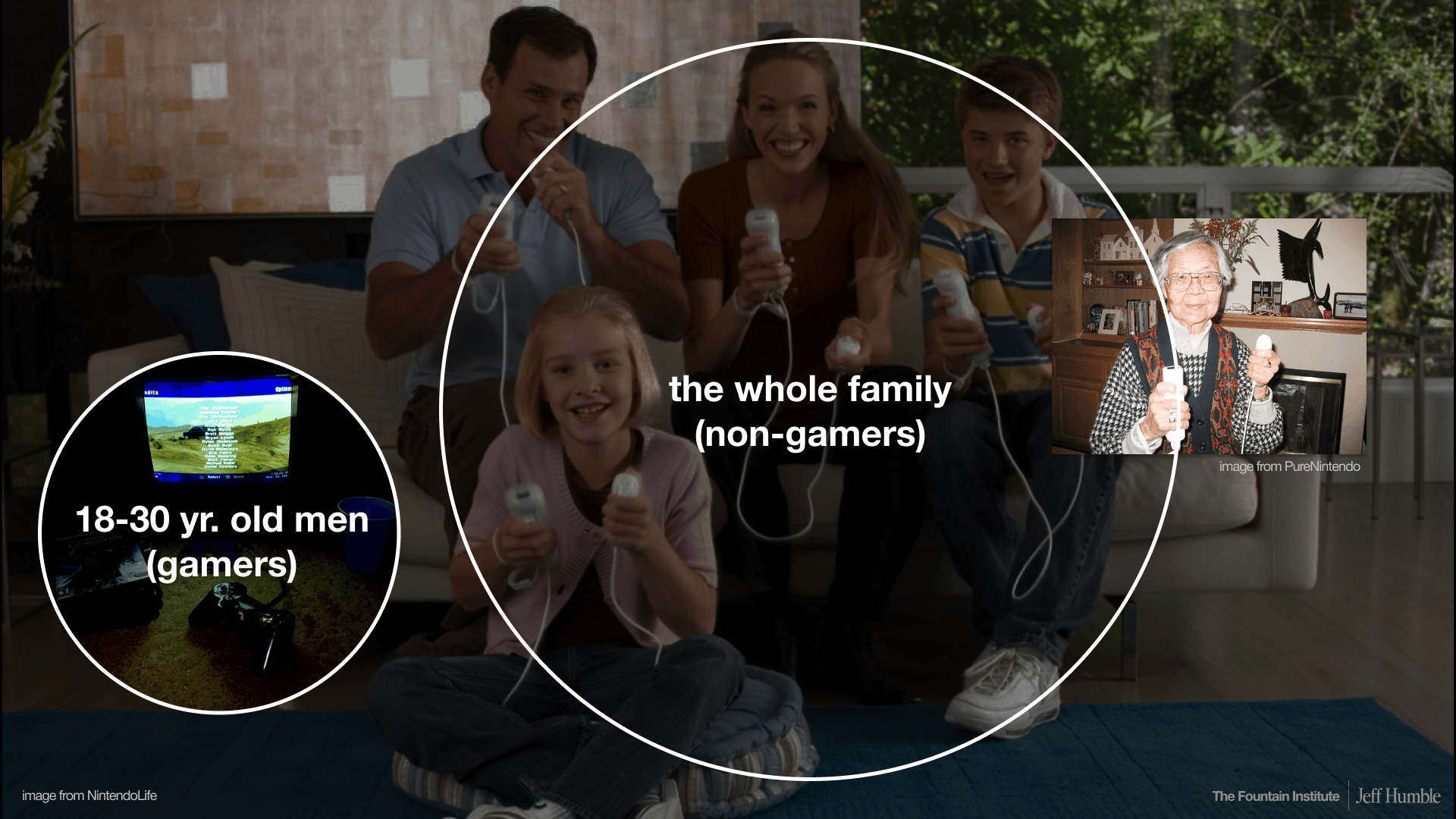
With its motion-sensitive Wii Remote, easy-to-use interface, and inclusive games like Wii Sports and Wii Fit, Nintendo unlocked an entirely new market: families, non-gamers, even grandparents. A 97-year-old woman famously loved playing her Wii daily.
from UX Strategy Info Session by Jeff Humble
Here’s where UX strategy comes in. The software and experience of using the console felt completely different than a Playstation or Xbox. It was all about group play and changed up the entire UX with things like channels and little avatars called Miis. The game was full of fun microcopy, making everything simple and clear enough for your grandma to play.
I bet you still remember the music from Wii Sports. To me, this became something more than a console that I haven’t seen topped to this day. Not only did the software match the hardware, but the intuitiveness of both helped create a completely new experience strategy that we all love and remember with the Wii.
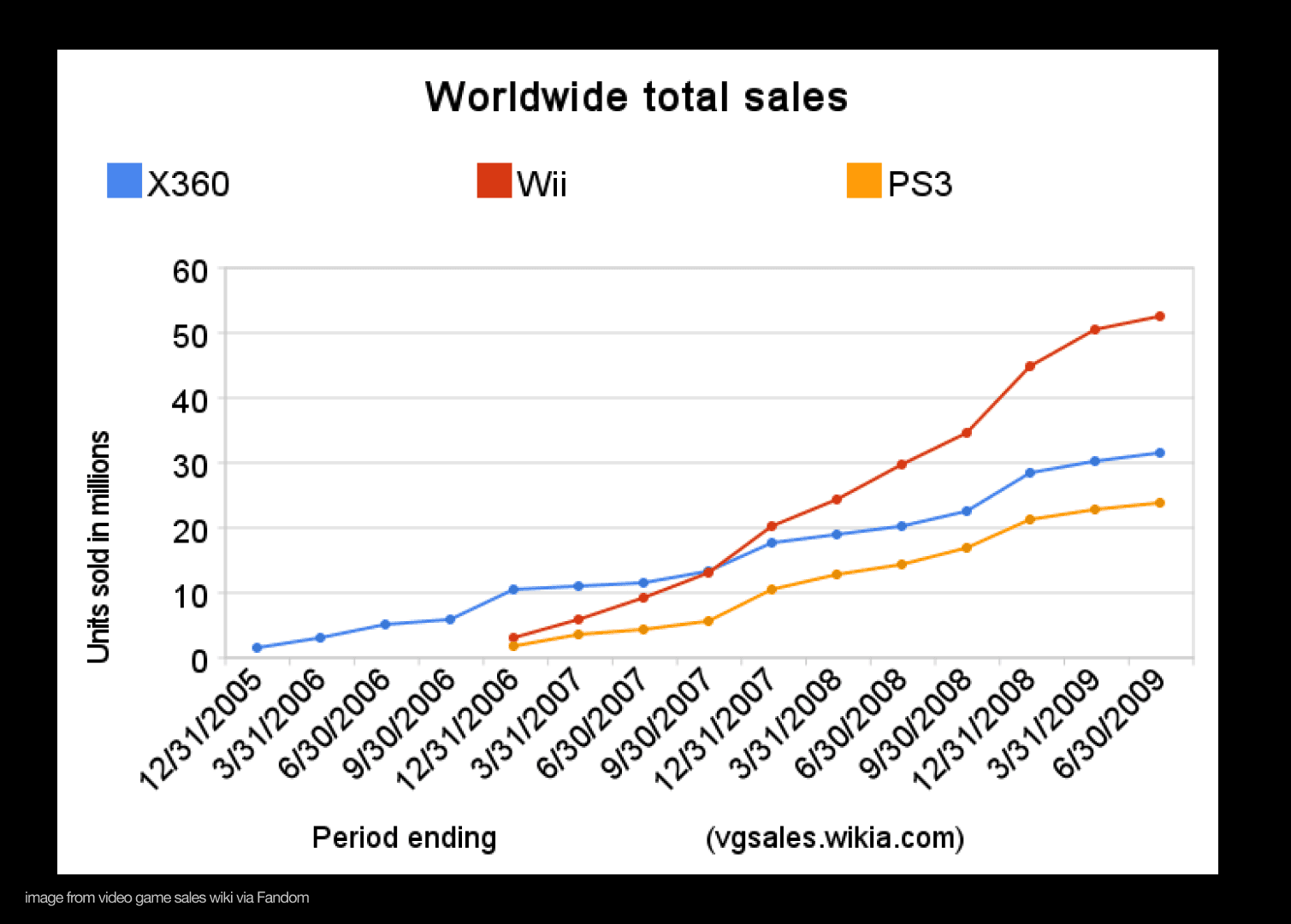
The outcome was staggering. The Wii outsold both the Xbox 360 and PlayStation 3, doubling down on a strategy that played to Nintendo’s strengths: fun, social, accessible experiences.
The lesson: strategy isn’t about doing more…it’s about doing different.
Pitfalls to avoid in UX strategy
I’ve been teaching designers how to do UX strategy for four years, and I’m starting to see the same mistakes over and over. When designers attempt a strategy for the first time, they fall into these pitfalls:
Mistaking methods for strategy: Running journey maps or usability studies doesn’t make a strategy. Without strategic alignment, it’s tactical, not strategic.
Chasing UX team goals: Things like “design maturity,” “fixing UX debt,” or “proper research” sound important but don’t resonate with business stakeholders.
Copying competitors: Mimicking industry leaders without a differentiated plan is the opposite of strategy.
The danger in these pitfalls is that these things aren’t necessarily bad on their own. Advanced methods or copying competitors isn’t wrong…it’s just not strategic.
Instead, try this:
Create a UX strategy and only do the UX methods that make sense for your strategy…and learn the difference between tactics and strategy!
Chase business goals with the same energy that you would bring to a “fix the ux” project.
Consider doing the opposite of the competitors and focus on making experiences that your key user group loves in novel ways.
Learn how to design strategy in LIVE, online classes
Join this project-based program for designers that want to learn how to design winning strategies for UX, product, and business.
Getting started in UX strategy as a designer
from UX Strategy Info Session by Jeff Humble
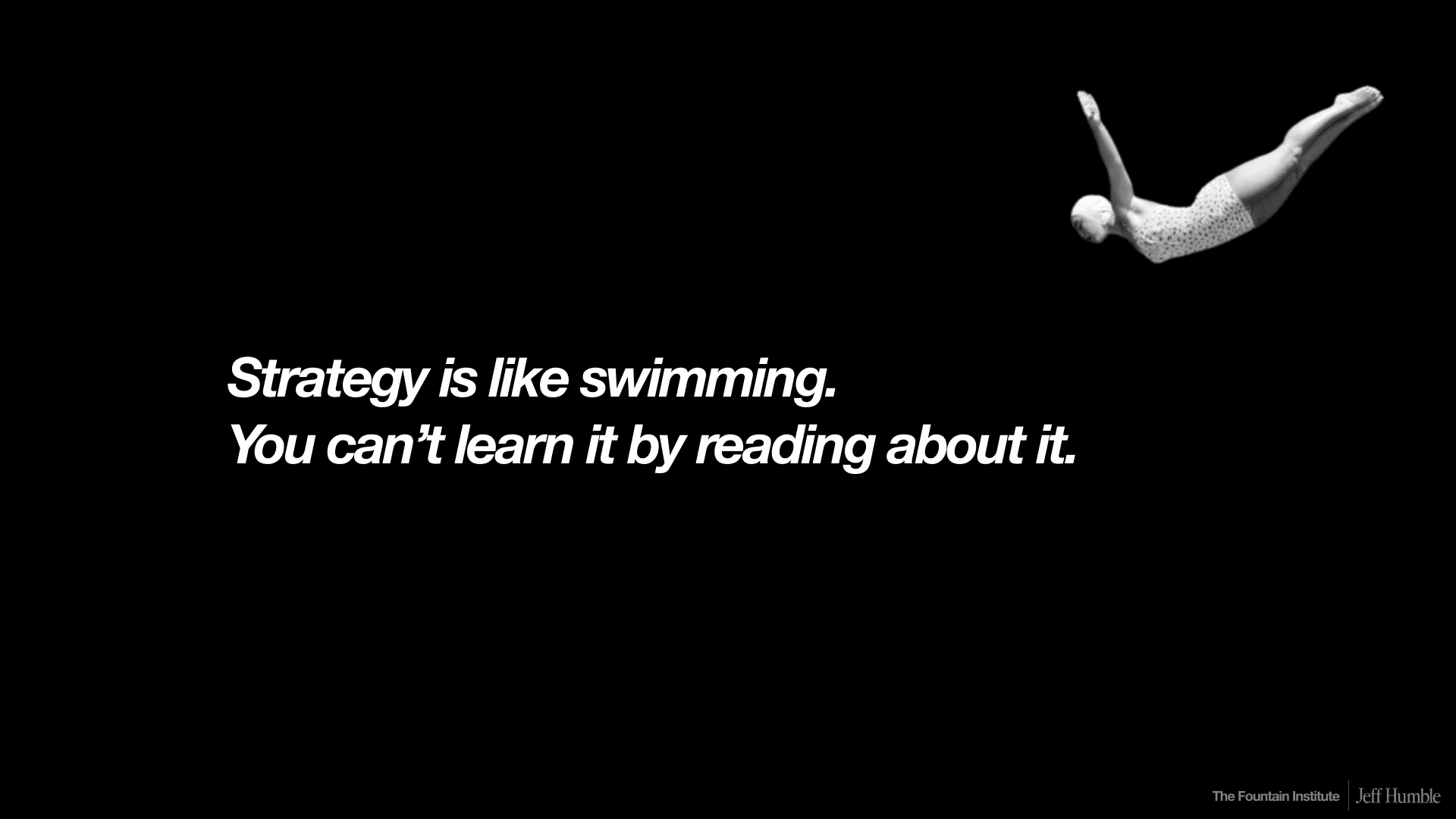
Unlike tactical design skills, strategy can’t be learned just by reading. It requires practice. Here are some ways to start:
Research beyond the user: Look at the three Cs — company, customer, competitor. Strategy comes from seeing the bigger picture.
Frame challenges, not just problems: Instead of isolated usability issues, identify systemic obstacles that block business goals.
Co-create with stakeholders: Involve product leads, executives, and cross-functional peers. Buy-in is as important as the framework itself.
Translate design into business language: Swap “usability” for “utilization,” “delight” for “engagement,” “fix UX debt” for “optimize workflows.”
Think long-term: A UX strategy should guide multiple projects for 2–5 years, not just one sprint or quarter.
Even if you don’t have an official strategy role, you can start small: align your work with business goals, test assumptions, and frame your design choices as strategic bets.
This article is based on a talk I gave. Check it out and give me a follow if you want more content like this!
Learning resources for UX strategy
Read What is UX Strategy, Really? by Jeff Humble
Read Reactive vs. Proactive Design by Jeff Humble
Watch A Plan Is Not a Strategy by Roger Martin
Get a case study of what not to do in UX strategy in Why Doing Everything is a Bad UX Strategy by Jeff Humble.
Read more about product strategy in WTF is a Strategy by Vince Law
Read about the role of Strategic Designer in What is Strategic Design? An In-Depth Guide by Jeff Humble.
Get your company to fund a course in UX strategy with 6 online workshops to guide you in designing a winning UX strategy: Defining UX Strategy: LIVE by the Fountain Institute.

![The UX Strategy Template Your Team Actually Needs [Free Canvas]](https://images.squarespace-cdn.com/content/v1/5dc5935a7224ad2839d7e750/1769035489412-65KNDYBSE7B83C4V6CTJ/UX_Strategy_Template-Fountain_Institute%28thumbnail%29.png)